
Calhoun Search Field Choices
Match the field to the fact you hold. A cause number belongs in a record-number mode, never a party-name box. For a person, use the local Last Name, First Name order. A hearing search needs a sensible date range. Once Calhoun's live advanced controls render, check the location, case type, status, and officer options. Do not assume they filter every local court.
Wide is not always wise. Start with an exact cause number or a full name. Add a trailing wildcard only after checking spelling, spacing, suffixes, and punctuation. In re:SearchTX, pick the correct Search By option first. Keep enough context to repeat the search later. Note the court, query type, date, and portal. Skip saving private identifiers you do not need to find the public court record.
How to Search Calhoun Cases
The Calhoun Tyler Odyssey Portal is the public entry point. It covers criminal and civil records handled through the County Clerk and County Court at Law. Pick Smart Search. Type the person's name in Last Name, First Name order. If you only have part of a name, an asterisk after the fragment pulls matching results. Try the full spelling first. A broad wildcard can drag unrelated records into your docket search.
- Identify the court from a notice, pleading, or citation.
- Enter the full last name and first name in Smart Search.
- Use a trailing * only for an incomplete name.
- Match the court, case type, and likely filing period.
- Ask the proper clerk to confirm the result and supply copies.
Names carry hyphens, apostrophes, suffixes, and compound surnames. Try the source spelling first, then one careful variant. A same-name result is never automatic proof you found the right case. District matters may sit with one of the multicounty district courts serving Calhoun County, while a city ticket lives in a separate city system.
| Field | Entry | Note |
|---|---|---|
| Search Criteria | Name or record number | Main Smart Search field |
| Party name | Last, First Middle Suffix | Use local name order |
| Wildcard | Gar* | Use after a partial name |
| Advanced filters | Live portal controls | Exact local choices need a rendered check |
Calhoun Smart Search or Hearings
Odyssey gives each tool its own job. Smart Search finds court records. Search Hearings finds settings inside a date range. Want case history? Begin with Smart Search. Know the likely date? Use Search Hearings, then confirm the court, hearing type, and officer it displays. The Odyssey landing controls show that same split on the official portal.
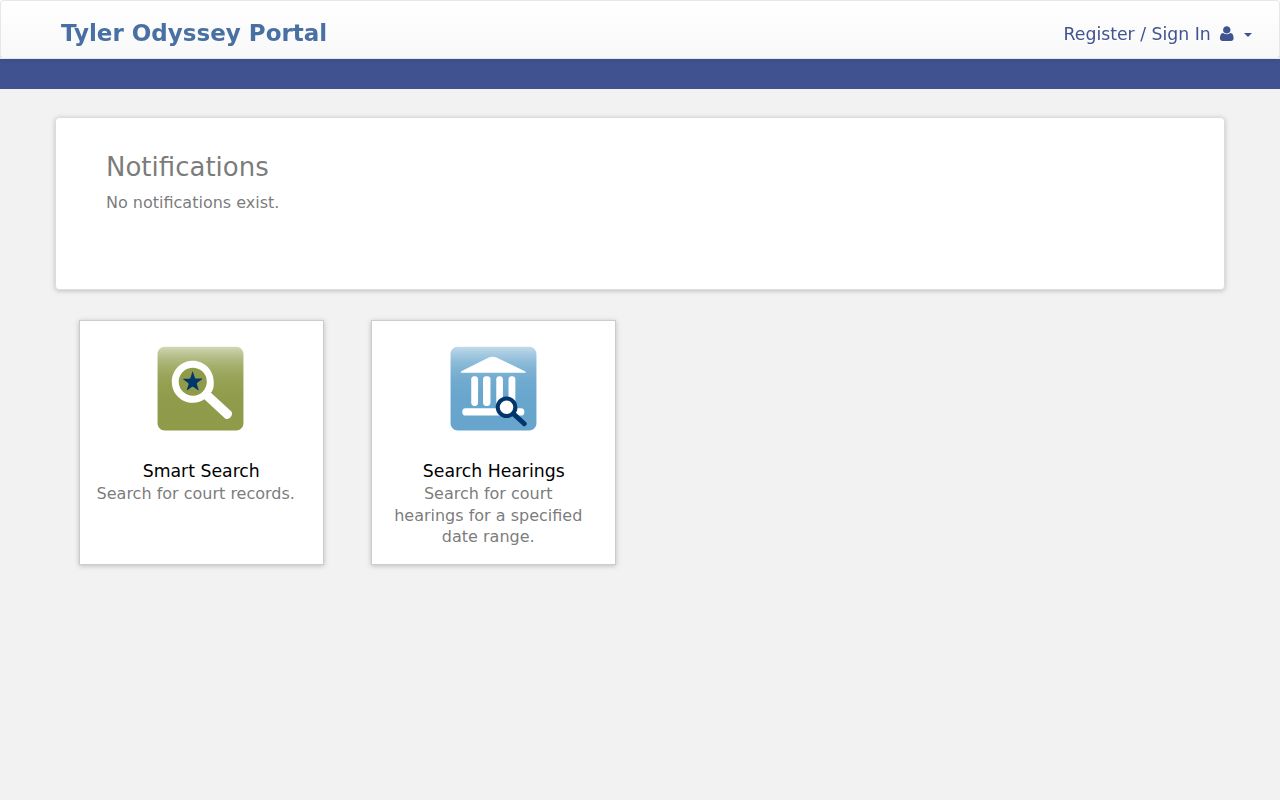
A blank hearing search proves nothing. The date or setting filter may have missed the case. JavaScript and cookies must be enabled, and the portal warns about older browsers and sessions that expire.
How to Search by Case Number
For a Calhoun County case lookup, nothing beats a cause number. Enter it exactly as printed, punctuation and court suffix included. Local courts do not share one format. A safe example is [court-assigned cause number]. Dropping a suffix to force a match is a mistake. Always confirm the court and county that come back.
If the exact value fails, recheck any letters or digits that look alike. Change punctuation only if the portal allows it. A district case may show a Victoria-area judicial address. The 24th, 135th, and 267th District Courts serve several counties. That does not move a Calhoun filing away from the Calhoun District Clerk. Search citations in the court printed on the ticket.
Three Calhoun Record Systems
Calhoun County records split by subject and era. Odyssey handles current criminal and civil searches. Kofile QuickLink searches old index books by type, year, party, and name. Laserfiche holds plats and Commissioners Court material. Neither historical service doubles as a current case docket.
Odyssey: current county criminal and civil search, with a separate hearings tool.
Kofile: old civil, criminal, deed, and probate index ranges listed by the County Clerk.
Laserfiche: plats and Commissioners Court records, with a clerk-published cookie workaround.
An index entry may name a book without revealing the full document. Kofile offers a walkthrough. It also gives live chat during business hours and email support. For purchases, the County Clerk points users to the office itself. A Calhoun County case lookup must follow the record type. The search box you know best comes second.
What a Case Search Shows
A public result can identify the matter. It may also show the next event. Exact fields depend on the court and its integration. Odyssey may expose a case number, style, court, type, status, hearings, and register activity. The register of actions is simply the time-ordered list of filed events. It makes no promise. Not every document image is public online.
| Cause Number | The court-assigned key used for a precise lookup. |
|---|---|
| Court | The custodian and jurisdiction, which must match the expected case. |
| Type and Status | The case category and current system label. |
| Register Activity | Dated filings, orders, settings, or other docket events where integrated. |
| Hearing Detail | Date, type, place, and judicial officer when provided. |
Treat status words with care. "Inactive" in a report may not mean a final judgment. A setting is not a result. An unsigned proposed order is not a signed order. For any deadline, call the court and compare the screen against the latest filed notice.
No Calhoun Case Result
A blank result has many causes: the wrong clerk, a tight date range, a spelling slip, a source not linked to Odyssey, or an outage. Sealed and confidential records stay out of view. Some older records exist only in an index book.
Use the fallback chain: check the court, retry the exact cause number, broaden the name with the local wildcard, then contact the responsible Calhoun County clerk.
Two clerk offices split the work in Calhoun County. For county-level records, call the County Clerk at 361-553-4411. District civil, criminal, family, and tax files belong to the District Clerk at 361-553-4630. Both offices share 211 S. Ann Street in Port Lavaca, each in its own room. A quick call saves a trip to the wrong counter. Where a ticket goes depends on who wrote it. City tickets stay with the municipal court. County or state tickets usually follow the JP precinct printed on the citation, since no countywide JP search form exists.
County vs Statewide Case Search
re:SearchTX widens the net beyond a single county. Texas has never built one complete public trial-court database. After registering, users can search Cases, Filings, Text, and Hearings. Lookups run by party, attorney, judge, cause number, or filing text. Depending on the case, results may support sorting. Case detail pages, hearing views, exports, or document purchase may also be available.
| re:SearchTX | Calhoun sources |
|---|---|
| Integrated records from Texas courts | Odyssey, clerk dockets, city courts, and JP offices |
| Useful for a cross-county check | Best when the local court is known |
| Coverage varies by integration | The local clerk holds the official record |
| Cited document fee is $0.10 per page, capped at $6 per document | Local copy and certification charges are separate |
The repository went live in late 2018. Its holdings reach back to 2016 in the cited state report. Coverage still varies and criminal access stays limited, so treat it as a supplement, not a substitute; a blank result statewide does not mean the local Calhoun County file is missing.
Calhoun Municipal Case Searches
Municipal cases live outside the usual Calhoun County docket path. Each city handles its own. Port Lavaca runs a citation search and payment form. Point Comfort offers only a court-cost payment page with no public docket results. Seadrift posts a municipal calendar category but keeps no official case index. Its utility payment page is not a court service. Read the ticket before picking a portal. Port Lavaca Municipal Court handles city Class C and ordinance matters. Point Comfort Municipal Court and JP3 are separate courts. Seadrift Municipal Court and JP4 are separate too. Port O'Connor is unincorporated. Its citations follow the printed JP precinct rather than any city court.
Restricted Cases and Access Rules
Public access in Texas has firm limits. Sealed or confidential Odyssey records stay off limits. Juvenile and CPS files can be restricted. Family Code Chapter 58 and local child-protection orders allow it. Expunction under Code of Criminal Procedure Chapter 55A is a court process. Family files may also contain protected addresses, medical facts, finances, or details about children. Before pushing a request, ask the clerk what authority is required. Court case records, judicial records under Texas Rule of Judicial Administration 12, and administrative records under the Texas Public Information Act are distinct categories. The clerk can route each properly. Public results serve well for following a hearing or checking filed activity. Just keep private identifiers out of shared notes or images.
Confirming a Calhoun Case
Contact the clerk with the basics ready. Give the cause number, court, party name, filing period, and the exact item needed. Say whether you want a docket sheet, order, judgment, or filing. Ask if a plain or certified copy fits your purpose. Get the current search, page, certification, and delivery costs. The linked Calhoun County court record search walks through those options. The District Clerk posts PDF links for AG, civil jury, civil non-jury, criminal, and tax dockets. Those links change. Treat them as settings lists, not a full case history. County Court at Law records begin with the County Clerk and Odyssey. The District Clerk does not accept pleadings by fax or email. That filing rule does not govern every records request. Confirm the right channel with the clerk first.