
Getting Calhoun County Court Records
Start by matching the case to its office. The District Clerk keeps district civil, criminal, family, and delinquent-tax files. County Court at Law matters, probate, Commissioners Court records, and other county files sit with the County Clerk. A municipal clerk holds city citation and ordinance cases. Justice court records, covering precinct traffic, fine-only criminal, eviction, and small civil matters, stay with that court. Federal cases live outside every county clerk system entirely.
- Use a cause number, party name, court, and filing period to identify the case.
- Check Odyssey, a current district docket, or the correct court’s public channel.
- Ask the custodian whether the desired filing is public and available.
- Choose a plain or certified copy and confirm current charges.
- Arrange pickup or an available delivery method with that office.
For current county criminal and civil matters, try the Calhoun Odyssey Portal. District settings also show up on the District Clerk's live docket page. Prefer a person? Call, visit the counter, or ask about mail delivery. Not every office confirms an email, fax, or drop-box channel. Check with the clerk first. Judicial records may fall under Texas Rule of Judicial Administration 12. County administrative records can follow the Texas Public Information Act.
Two Calhoun Clerk Offices
Which clerk you need matters more than the street address. Both offices share 211 S. Ann Street in Port Lavaca. The County Clerk sits in Suite 102 and can be reached at 361-553-4411. The District Clerk occupies Room 203, at 361-553-4630. Hours generally run 8:00 a.m. to 4:30 p.m. Holidays and service cutoffs can shift them. Confirm before a trip.
The official District Clerk page lays out local office details and current notices. Check the source page for current notices and services before the reference view that follows.
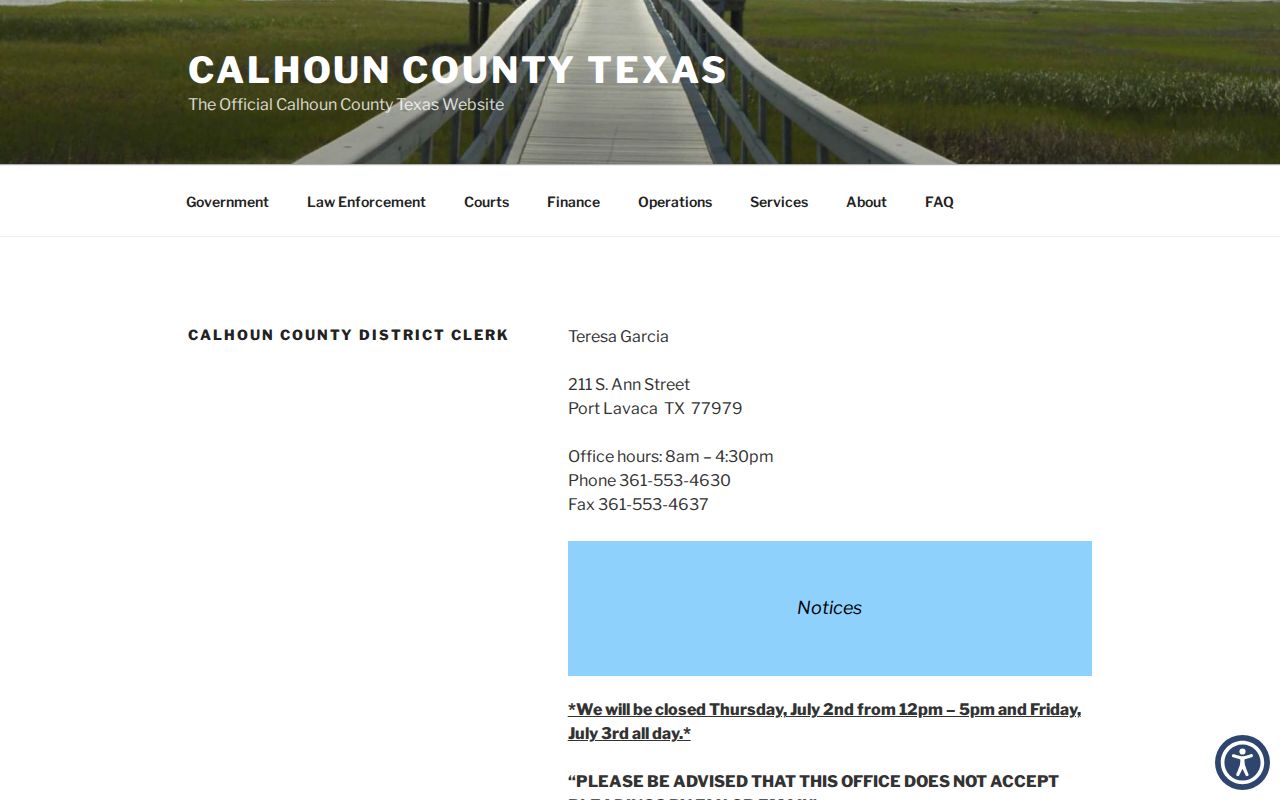
That clerk page links dockets, rules, fees, jury information, expunction material, and OCA reports. It also states that pleadings cannot arrive by fax or email. One caution: that rule covers filings only, and it does not bar every administrative record request from those channels, so confirm the method with staff.
Calhoun Court Record Types
A court file is bigger than its docket. The docket, sometimes called the register of actions, lists case activity in time order. Behind those entries sits the case file with the actual documents. What you can get depends on case type, redaction, any court order, and digitization. Some files have been digitized. Others have not.
- Docket sheets and registers of actions.
- Petitions, answers, motions, notices, and other pleadings.
- Signed judgments, orders, and dispositions.
- District criminal, civil, family, and tax case documents.
- County civil, misdemeanor, probate, and guardianship records where public.
Property indexes and court files are different tools. A land dispute may appear in a court docket, while deeds and deeds of trust live in historical index systems. Plats and Commissioners Court records route through Laserfiche. A probate index can point you to an estate file without showing each page of it online.
Calhoun Historical Record Routes
Kofile QuickLink opens the index books from afar. The County Clerk lists a Civil Index from 1867 to 2005. There is a Criminal Index from 1867 to 2006. Probate runs from 1846 to 2005. Commissioners Court Minutes span 1849 to 2004. Deeds cover 1845 to 1985, and Deeds of Trust run 1911 to 1985. Kofile's own landing text quotes a different supported span for land records. Verify the collection dates before trusting an edge year. Index access is not the same as full case-file delivery. Search controls cover type, year, parties, last name, and first name. Once an entry turns up, contact the County Clerk or use the supported purchase route for the item itself. Laserfiche handles plats and Commissioners Court records. If it reports that cookies are disabled, county instructions say to choose Sign Out. Then pick Browse and County Clerk.
Inside a Calhoun Court Record
A Calhoun County court record can hold identity fields, procedural entries, and filed documents. How much appears online varies. Odyssey may show a register without each image. A dated docket PDF might list only an upcoming setting. Ask the clerk about the full file. It may be paper, electronic, archived, redacted, or restricted.
| Cause Number | The court-assigned identifier, including punctuation or suffix. |
|---|---|
| Pleadings | Petitions, answers, motions, notices, and other filed papers. |
| Orders and Judgments | Signed court rulings and final dispositions when public. |
| Docket Sheet | The chronological list of filings, events, and settings. |
| Service Records | Entries showing how a party was notified. |
| Exhibits | Attachments or evidence when filed, retained, and open to access. |
Read entries with care. A proposed order stays a request until a judge signs it. A hearing entry does not prove anyone attended or what happened. "Disposed" is a status, but the judgment or order carries the legal result. When requesting, name the exact filing date or document type instead of asking for every page of a large file.
What Calhoun Requests Should Include
A detailed request gets better results and an accurate quote. Name the custodian, court, cause number, party, and filing range. Include the record category. Also name the document you want. State whether you need a plain copy or a certified copy. Add a delivery preference plus public contact information.
Do not confuse filing with requesting: the District Clerk’s ban on faxed or emailed pleadings concerns court filings. Ask the office which channels it permits for a copy request.
When Odyssey gives only an entry, pass that entry date and description to the clerk. For an old Kofile result, include the index type and year. Add the book or page data and party field. A file might be sealed or restricted. If so, ask what court order, identity proof, or statutory authority applies. Never send protected personal data unless the custodian needs it through a secure channel.
Fees and Certified Copies
What kind of copy do you need? A plain copy simply reproduces the clerk's record. A certified copy adds the clerk's certification, which matters when an official reproduction is required. Calhoun's District Clerk fee schedule carries a 2022 date, so confirm the amounts before ordering. The County Clerk posts a live payments-and-fees page with separate schedules for its own records, though it does not list plain and certified copy prices at the county level in one spot.
| District Clerk item | Dated amount |
|---|---|
| Clerk-performed record search | $5 |
| Copy | $1 per page |
| Certificate of true copy | $5 |
| Jury fee | $10 |
| Bond approval | $5 |
Where do those figures apply? Only to the District Clerk's dated table. Carrying them into a County Clerk, municipal, or JP request would be a mistake, since each office sets its own fees. Odyssey's landing page lists no local document-view price. re:SearchTX describes electronic access at $0.10 per page, capped at $6 per document, but that statewide portal fee buys no clerk certification.
Calhoun Copies: Plain or Certified
Pick the copy type by its purpose. For reading docket history or tracking a filed order, a plain copy may be enough. A certified copy carries the clerk's attestation, which some offices demand. Ask the receiving office which version it requires. Or ask the process. That beats paying for certification out of habit.
| Plain copy | Certified copy |
|---|---|
| Reproduces an available public record | Adds the custodian’s certification |
| Useful for review and case research | Used when formal proof is required |
| Page fees may apply | Page and certification fees may apply |
| Can still be redacted | Does not override a seal or restriction |
Certification has limits. It does not make a restricted record public, nor does it turn an index entry into a full file. Before paying, ask whether the document exists, is signed, and can be released.
Sealed Records and Public Access
Openness is the norm, not the rule everywhere. Many Calhoun County court records are public, but access has real limits. Texas Rule of Civil Procedure 76a governs sealing in civil cases. Family Code Chapter 58 protects juvenile information. Section 58.005 covers certain records. Expunction falls under Code of Criminal Procedure Chapter 55A. Local orders restrict DFPS material in child-protection cases.
Access route: Texas Rule of Judicial Administration 12 can govern judicial-record requests, while Government Code Section 552.0035 distinguishes judiciary access from the ordinary Texas Public Information Act route.
A public docket can be narrower than the file behind it. Medical, financial, child, and protected address information may be removed from view. Items that are sealed, expunged, or confidential should never be pursued through workarounds. Ask the clerk what can be released. Ask what authority is required. For general county administrative records, the County Clerk posts open-records posters in English and Spanish.
Official Calhoun Record Confirmation
Online access identifies records. The originating clerk still controls the official file. Start with the Calhoun County case lookup to find a current case. Then request the exact item from the office that holds it. Save the portal URL, the date searched, the court, and the entry description. When citing a dated District Clerk PDF, link back to its live category page. File names change.
Federal records take a separate path. Use PACER or the Southern District of Texas, Victoria Division. A courthouse terminal can provide access under federal policy. CourtListener or RECAP may hold contributed copies, but neither is the official custodian. Municipal and JP records must be requested from their own courts. Calhoun posts no countywide public JP docket and no current JP copy-fee table. Calling the printed precinct and clerk phone remains the sound route.