
Searching Calhoun County Civil Dockets
Know which court took the filing before you search a Calhoun County civil docket. District civil suits, family matters, and delinquent-tax cases live with the District Clerk. County Court at Law business runs through the County Clerk. That work includes civil, probate, and guardianship records. Smaller matters, like a small claim or an eviction, may sit in a justice precinct. Check the caption or cause number. It is printed on any pleading, citation, or order, and it tells you which court holds the file.
The Calhoun Tyler Odyssey Portal handles the search itself. It gives you Smart Search for court records plus a separate Search Hearings path. An exact cause number works best. Searching a person takes Last Name and First Name. Local instructions allow a trailing asterisk to catch partial spellings. Search Hearings looks at date ranges only. Treat it as a hearing calendar, not a full docket search of older cases.
- Confirm the filing court and civil case type from the newest court paper.
- Search Odyssey by exact cause number or a narrow, correctly ordered name.
- Use the District Clerk’s civil jury, civil non-jury, or tax docket category for district settings.
- Open the matching case and compare court, status, filing date, and next hearing.
- Ask the proper clerk for a complete docket sheet, document, or certified copy.
Calhoun Civil Docket Routes
Civil work in Calhoun County splits across several courts. The 24th, 135th, and 267th Judicial District Courts hear major civil suits, family matters, title-to-land disputes, and other duties assigned by law. Those are multicounty benches. Even so, the Calhoun District Clerk keeps the local files for cases filed in Calhoun. County Court at Law No. 1 takes civil matters within its jurisdiction. It also handles probate and guardianship work.
| Matter | Likely custodian | Useful starting point |
|---|---|---|
| District civil or family | District Clerk | Odyssey and district docket page |
| County-level civil | County Clerk | Odyssey |
| Probate or guardianship | County Clerk | County Court at Law route |
| Small claim or eviction | Justice precinct clerk | Precinct named on the case papers |
| Delinquent tax | District Clerk | Published Tax Docket category |
There is no Calhoun-wide public search form for justice-court cases. Call the precinct listed on your citation or petition. Do not assume Odyssey covers a JP docket.
Inside a Calhoun County Civil Docket
Think of a civil docket as a timeline. It can trace a lawsuit from filing through service, motions, settings, orders, and judgment. What you see publicly depends on court integration and access rules. An entry may name a document yet show no image. An online status can trail a signed order.
| Cause number | The court-assigned identifier. Keep punctuation and any court suffix when searching. |
|---|---|
| Case style | The caption identifying the parties and their procedural roles. |
| Filing and service | The opening date and recorded steps used to notify another party. |
| Motion or pleading | A request, answer, petition, notice, or other filed submission. |
| Setting | A jury, non-jury, motion, trial, or other calendared event. |
| Order or judgment | A signed court act; an unsigned proposed order is not final. |
When the register alone is not enough, ask for the specific filed item. The clerk may need the cause number, court, rough filing date, and document type. Say whether you want a plain or certified copy.
Calhoun Civil Portal Search
The official County Clerk Records Online page sends civil and criminal users to Odyssey. Its public landing screen offers Smart Search and Search Hearings. The site needs JavaScript and cookies. It may show a session warning. A blank result can come from several causes. Think of an unrendered screen, the wrong court, a date filter, a spelling slip, restricted access, or incomplete integration. The manifest view shows the Calhoun portal landing screen. No private party or case row is displayed.
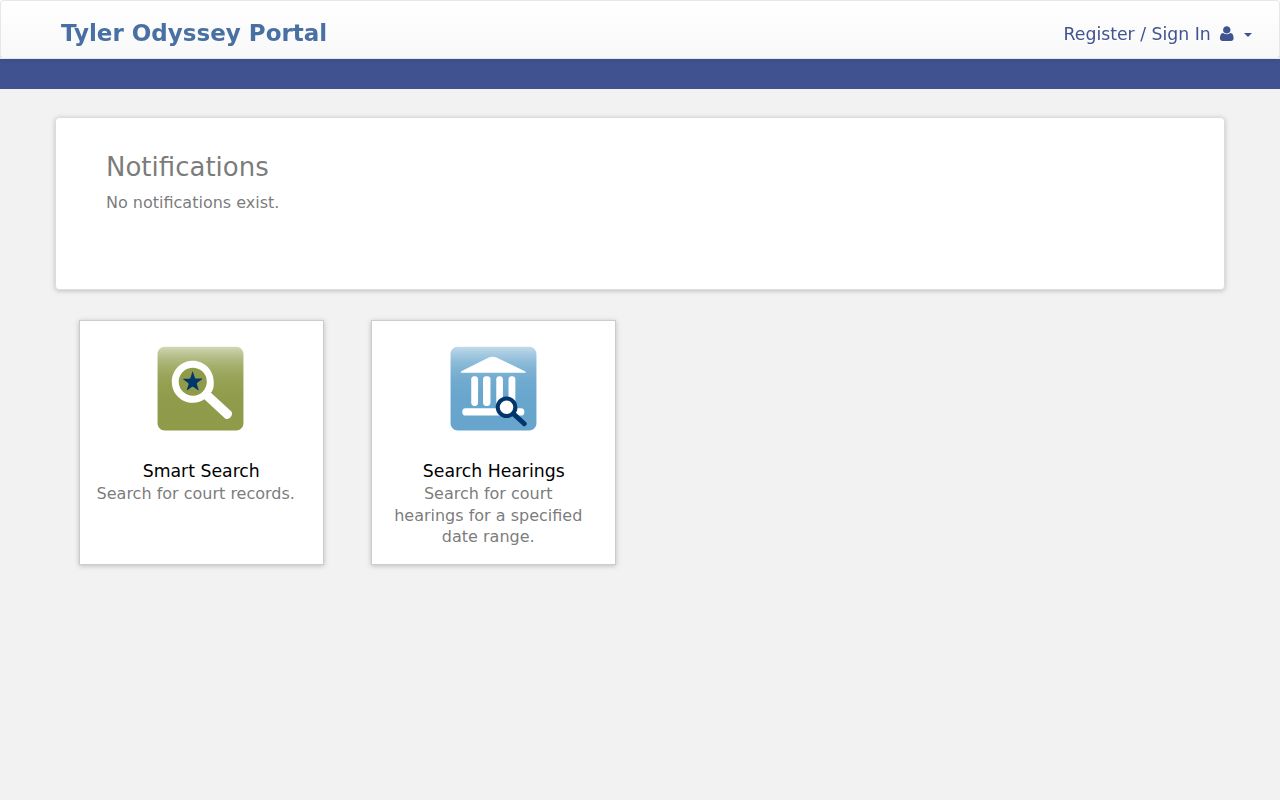
The two search paths serve different jobs. Smart Search finds a case register; Search Hearings finds scheduled events within a date range you set.
Civil Case Types on the Docket
District civil dockets run on jury and non-jury tracks. A jury setting reserves the case for a jury. A non-jury setting puts the matter before the judge alone. Family cases also flow through the District Clerk. Divorce, parent-child, protective-order, and child-protection records can carry stricter privacy limits.
County Court at Law No. 1 takes civil cases within statutory limits, plus probate, guardianship, juvenile, and related duties. Probate deals with estate administration. Guardianship covers court authority over personal or financial choices for a protected person. Medical, financial, juvenile, and family facts may stay restricted. That can hold even when a basic docket entry is public.
A delinquent-tax case is a lawsuit. It is not a property index search. The District Clerk publishes a Tax Docket category for these filings. Deeds, deed-of-trust indexes, plats, and Commissioners Court records take another route. They run through Kofile, Laserfiche, or the County Clerk's land and local-record systems.
Calhoun Civil Hearing Orders
County Court at Law has a local procedure that affects scheduled civil work. Its administrative hearing order sets a filing deadline. A proposed order must be e-filed at least 48 hours before the hearing. A proposed order is just a draft. It is offered for judicial signature. Appearing as a filing entry does not make it the court's order.
The County Court at Law No. 1 page carries the calendar, coordinator contact, Odyssey route, and courtroom details. Check that live source against the docket before relying on any setting. The signed order controls. Confirm filing deadlines and appearance rules with counsel or the court.
Note: An e-filed proposal may show on a civil docket before the judge acts. The judge may sign, change, or decline it.
Calhoun Civil Docket Settings
The District Clerk sorts its civil schedule into buckets. Jury settings, non-jury settings, and tax matters. Want the wider view? The annual calendar lays out each judge's docket by month. It lists the date and type of every setting. Odyssey's hearing search adds a case-level layer when the local fields load. Still, none of these tools stands alone when a deadline or court appearance is close.
What does a docket setting actually tell you? Pull out the date, time, court, courtroom, judicial officer, hearing type, and whether you appear in person or remotely. A reset bumps the matter to a new date. A continuance is the court blessing a delay, which lands on a later setting. Cancellations wipe the event out. Any change may first appear in a signed order. A refreshed docket PDF, the calendar, or a direct notice can carry it too.
Before relying on any single listing, call the coordinator or clerk and check the current source. The Calhoun County court dates guide shows how the district calendar, docket PDFs, Odyssey, and clerk confirmation fit together.
Calhoun Historical Civil Indexes
Digging into older civil matters means stepping away from the current case portal. The County Clerk's records inventory points to a Civil Index covering 1867 through 2005, hosted in Kofile. An index line is just a pointer. It is not the case file itself. Take what you find and ask the clerk where the underlying record lives and whether copies are available.
The Kofile QuickLink holds more than civil names; deed and other index books sit there too. Plats and Commissioners Court material live in Laserfiche. Neither collection is a civil lawsuit docket. Match the database to the record type and era, then verify the actual document with the clerk's office.
A precise request beats a vague one. Give the clerk a historical cause number and court. Include the filing year, party spellings, and the index book reference. If historical research turns up protected family or minor information, keep it off the internet.
Civil Docket Access Rules
Texas Rule of Civil Procedure 76a presumes court records are open, but it builds a defined process around sealing, with findings required along the way. Openness at the courthouse has limits, though. Juvenile files, child-protection, adoption, guardianship, protective-order, and sensitive family information all sit behind separate legal shields. Not every civil filing is free to download.
What about the Public Information Act? Texas Government Code §552.0035 puts judiciary information under Supreme Court rules or other applicable law. The TPIA is no blanket route into case files. Rule of Judicial Administration 12 covers judicial records beyond case records. Sorting out which rule and channel govern your request is the clerk's call.
Public entry, limited document.
A visible case number or setting does not establish public access to every pleading, exhibit, or protected fact.
Request only the needed record and ask the Calhoun County clerk about redaction, certification, and authority.
Request Calhoun Civil Records
When the portal comes up short, go to the keeper of the record. The District Clerk sits at 211 S. Ann Street, Room 203, Port Lavaca, TX 77979. The phone is 361-553-4630. The County Clerk is in Suite 102 at 361-553-4411. Both offices post general hours of 8:00 a.m. to 4:30 p.m., though holidays, access limits, and current procedures deserve a quick confirmation call.
A strong request is a specific one. Name the cause number, court, document, approximate filing date, format you want, and whether you need a plain or certified copy. The dated 2022 District Clerk schedule lists a $5 record search, $1 per page, and $5 for a certificate of true copy. Confirm those fees before sending money. One caution: the District Clerk says pleadings cannot arrive by fax or email. That filing rule does not govern every records inquiry.
Mail, phone, and the counter still matter as access channels. re:SearchTX can round out a county search. Coverage and document charges vary. For an official copy or a final access decision, the Calhoun clerk remains the authority.